
What's new in Partner Fleet, October 16-31, 2026
This roundup covers two updates to Developer Lifecycle Management.
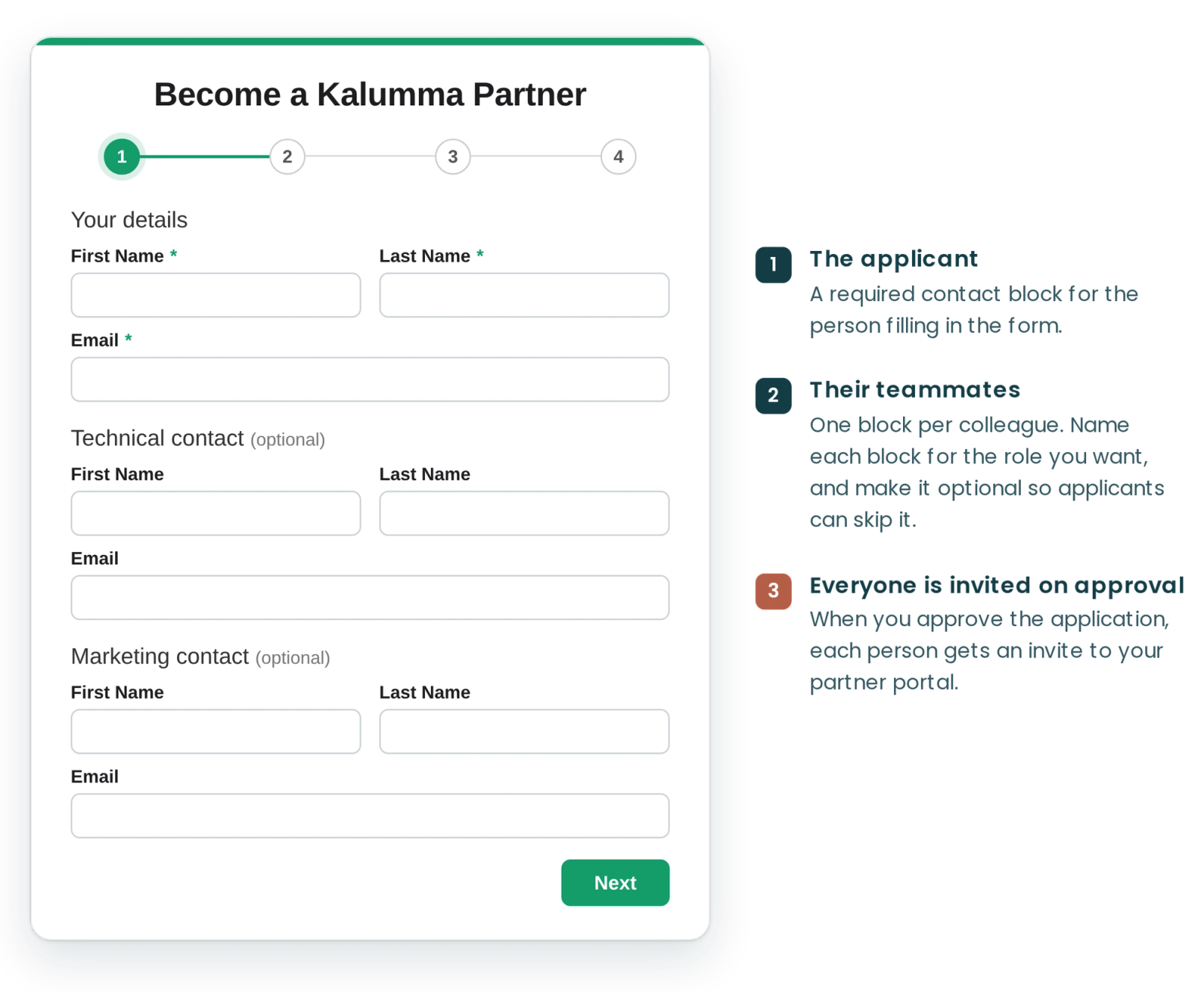
When someone applies to become your partner, they can now add their teammates to the application
Developer Lifecycle Management · Live since Sept 8, 2026
Your partner application form can now collect the applicant's teammates. Each Contact field adds a block for one person's name and email, and when you approve the application, everyone listed gets an invite to your partner portal.
- Before: only the person who applied was invited to the portal.
- Why it helps: the partner's whole team, like the developer building the integration and the marketer writing the listing, can start working on day one, and your team doesn't add users one at a time.
- Who it affects: companies applying to your partner program, and admins who review applications.
- What you need to do: open your partner application form in the Form Builder and add a Contact field for each person you want to collect, including one for the applicant, since Contact fields replace the separate name and email fields. Make teammate contacts optional so applicants can skip them. Invites go out when the form creates a partner account on approval, and each teammate gets the same access as the applicant.
Learn how to set up Contact fields →
Your partner pipeline now stays accurate when a partner pulls a listing back from review
Developer Lifecycle Management · Live since Oct 2, 2026
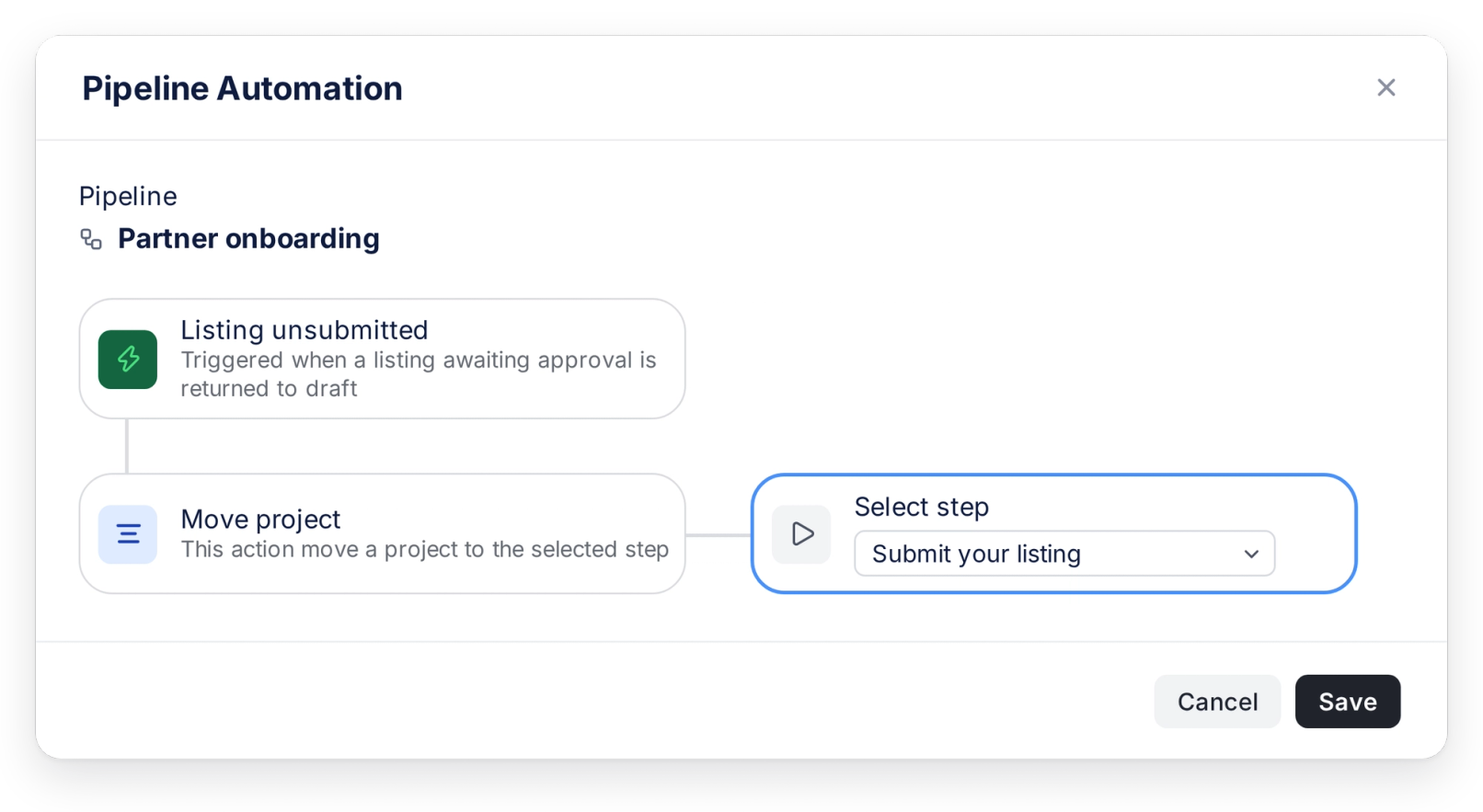
When a listing that's waiting for your approval goes back to draft (usually so the partner can keep editing), that can now start an automation, like moving the partner's project back to the step where they still owe you a listing.
- Before: automations could start when a partner submitted a listing, but not when they took it back, so their card stayed in your review step.
- Why it helps: your team and the partner see the same status. Nobody looks for a listing that isn't there, and the partner can see they still need to resubmit. You can add other actions, like alerting your team.
- Who it affects: admins who track partner listings in a pipeline, and partners whose listings are under review.
- What you need to do: go to Pipelines, open a pipeline's Automations tab, click Create Automation, choose Listing unsubmitted as the trigger, then choose what should happen next, like Move project. It acts on projects linked to that listing.
Explore other product updates
Browse all product updates
What's new in Partner Fleet, October 1-15, 2026
Your Partner Directory is now built for AI answers as well as search, onboarding pipelines can end in more than one place, and your standalone application form can match your brand.

AI search and SEO upgrades for your partner marketplace
Your partner marketplace now publishes llms.txt, Markdown copies of every page, and weekly sitemaps, so AI assistants and Google can read your listings.

What's new in Partner Fleet, September 16-30, 2026
Partner Fleet updates from September 16-30, 2026: side-by-side listing review, filters that match any value, and static sections for listing templates.