What's new in Partner Fleet, October 1-15, 2026
This roundup covers three updates across Public Marketplace and Developer Lifecycle Management.
Your marketplace is now built to show up in AI answers as well as search
Public Marketplace · Live since Oct 8, 2026
Every Public Marketplace now publishes a Markdown copy of each page and an llms.txt file that works as a table of contents for AI tools, so assistants like ChatGPT, Claude, and Perplexity can read your listings directly. On October 8, expanded sitemaps followed.
- Before: Partner Directories were already set up for Google and other search engines, with crawlable pages, a robots.txt file, and a sitemap.
- Why it helps: more buyers now start research by asking an AI assistant, and these files give it accurate listing details, so your partners have a better chance of appearing in those answers.
- Who it affects: every team with a Partner Directory, and the partners listed in it.
- What you need to do: nothing. Everything updates automatically as your listings change.
Partner onboarding pipelines can now end in more than one place
Developer Lifecycle Management · Live since Sept 9, 2026
A pipeline can now have as many finish steps as you need, so a partner's onboarding can end at Approved, Not a fit, or any other outcome you name, and each finish step marks that partner's project as done.
- Before: each pipeline had one finish step, so every partner's project ended in the same place.
- Why it helps: you can see at a glance how each partner's onboarding ended. Emails sent from a pipeline can now include project details, like the project's name, step, and status, and your team can leave notes on a step that partners never see.
- Who it affects: admins who manage partner onboarding in Developer Lifecycle Management.
- What you need to do: nothing unless you want to use it. To make a step a finish step, open the pipeline under Pipelines, open the step's menu on the Projects tab, choose Edit, and tick Terminal Step. New pipelines start with New and Complete steps, and Complete is already a finish step.
Style your standalone partner application form to match your brand
Developer Lifecycle Management · Live since Sept 8, 2026
Form CSS now applies everywhere your application form appears, including the standalone application page, not only forms embedded on your own site. The CSS box also lists the elements you can style, and one click adds a starting rule for each.
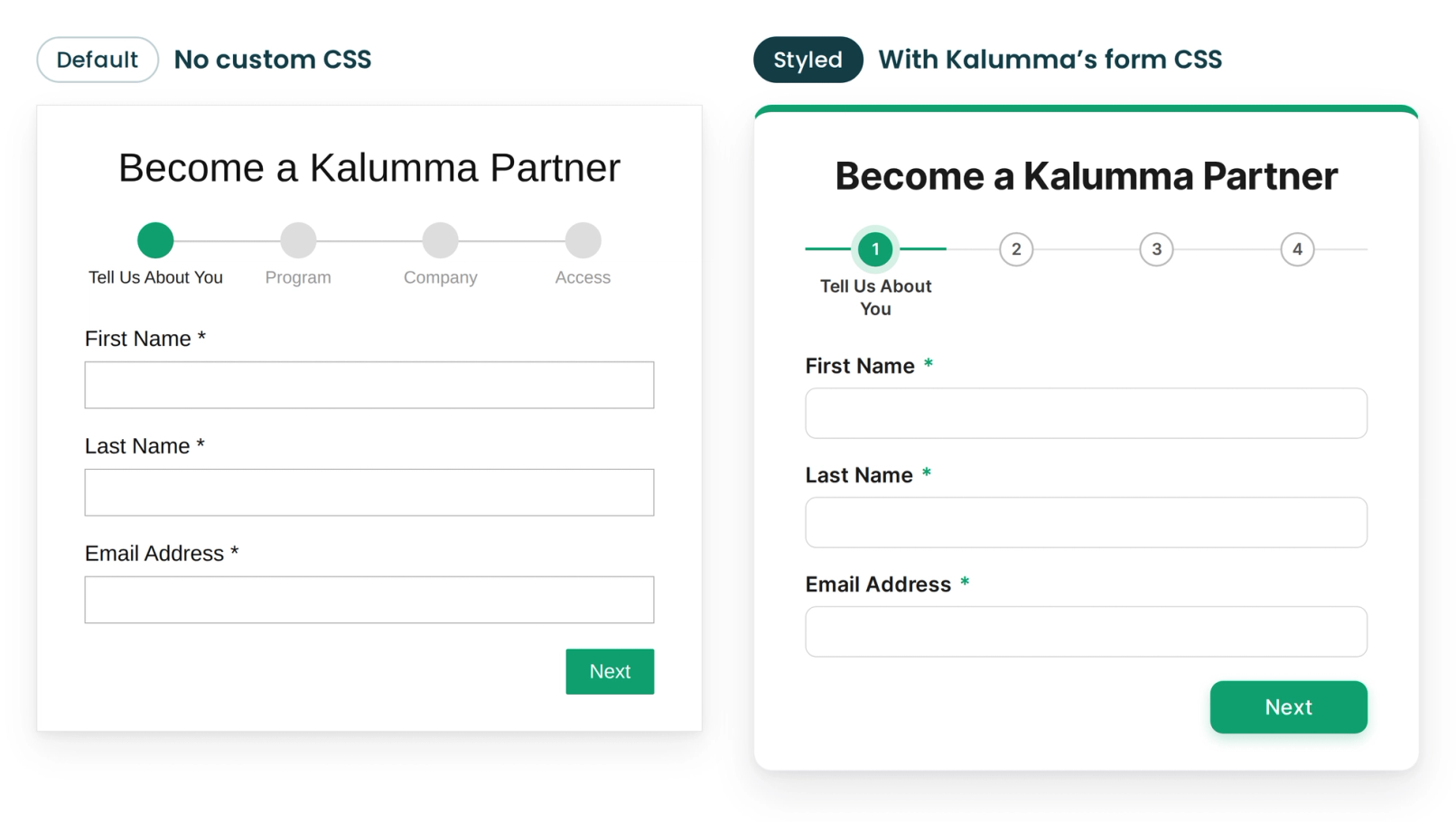
- Before: custom CSS only applied to forms embedded on your own site, not to the standalone form page.
- Why it helps: the hosted application page looks like the rest of your brand, so applying feels like part of your site. Single-step forms also no longer show a step tracker.
- Who it affects: admins who manage the application form, and partners who apply through it.
- What you need to do: to add styles, open the form in the Form Builder, expand Custom styling, and click any of the listed classes to start a rule.
Explore other product updates
Browse all product updates
What's new in Partner Fleet, October 16-31, 2026
Partners can now add their teammates when they apply, and your pipeline stays accurate when a partner pulls a listing back from review.

AI search and SEO upgrades for your partner marketplace
Your partner marketplace now publishes llms.txt, Markdown copies of every page, and weekly sitemaps, so AI assistants and Google can read your listings.

What's new in Partner Fleet, September 16-30, 2026
Partner Fleet updates from September 16-30, 2026: side-by-side listing review, filters that match any value, and static sections for listing templates.