
AI search and SEO upgrades for your partner marketplace
Partner Fleet public marketplaces are built as crawlable pages that search engines can index, and we’ve extended that foundation so AI assistants like ChatGPT and Claude can read your listings too.
Available to all Public Marketplace customers, with the latest update live since October 8, 2026.
What changed
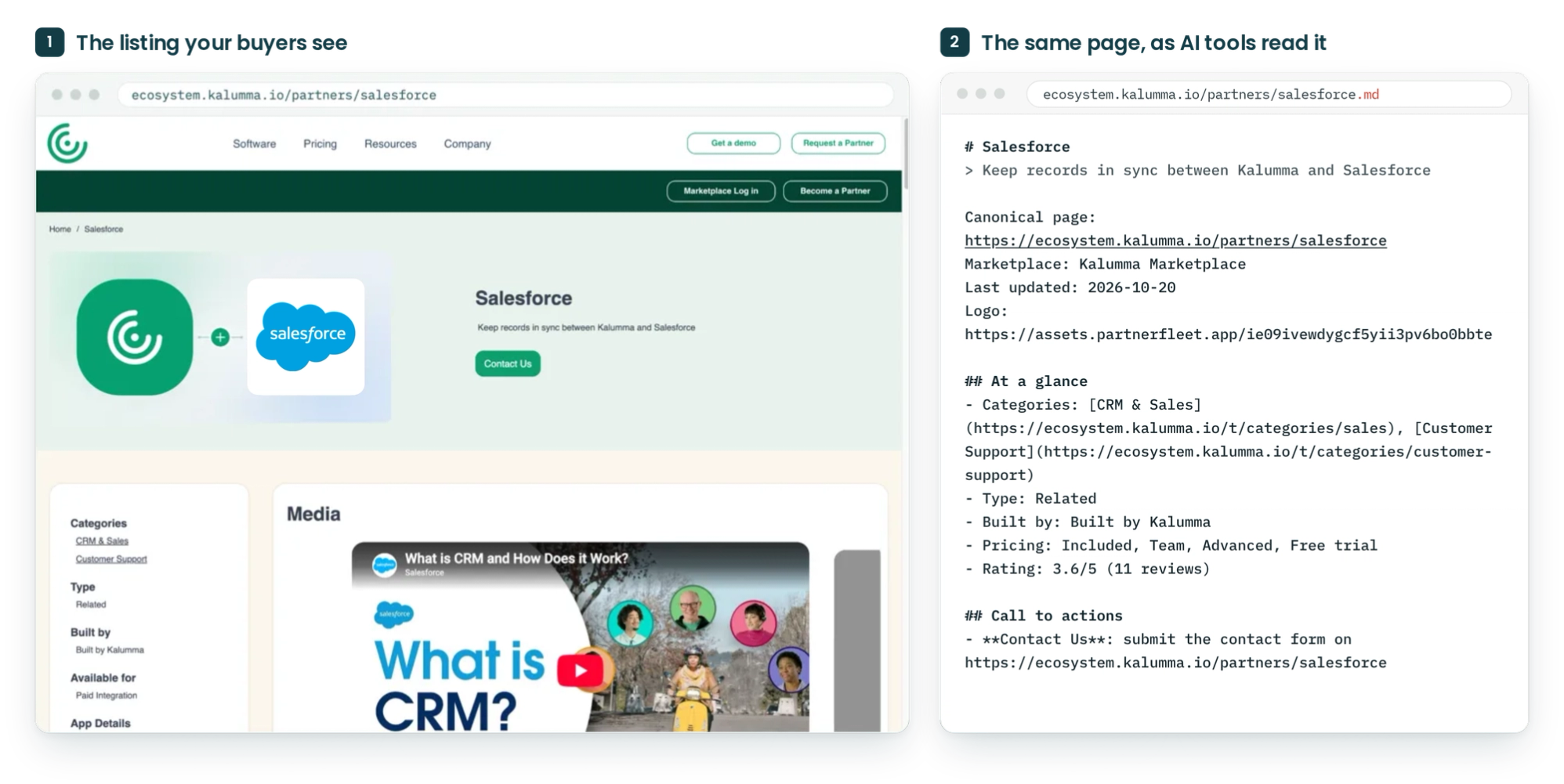
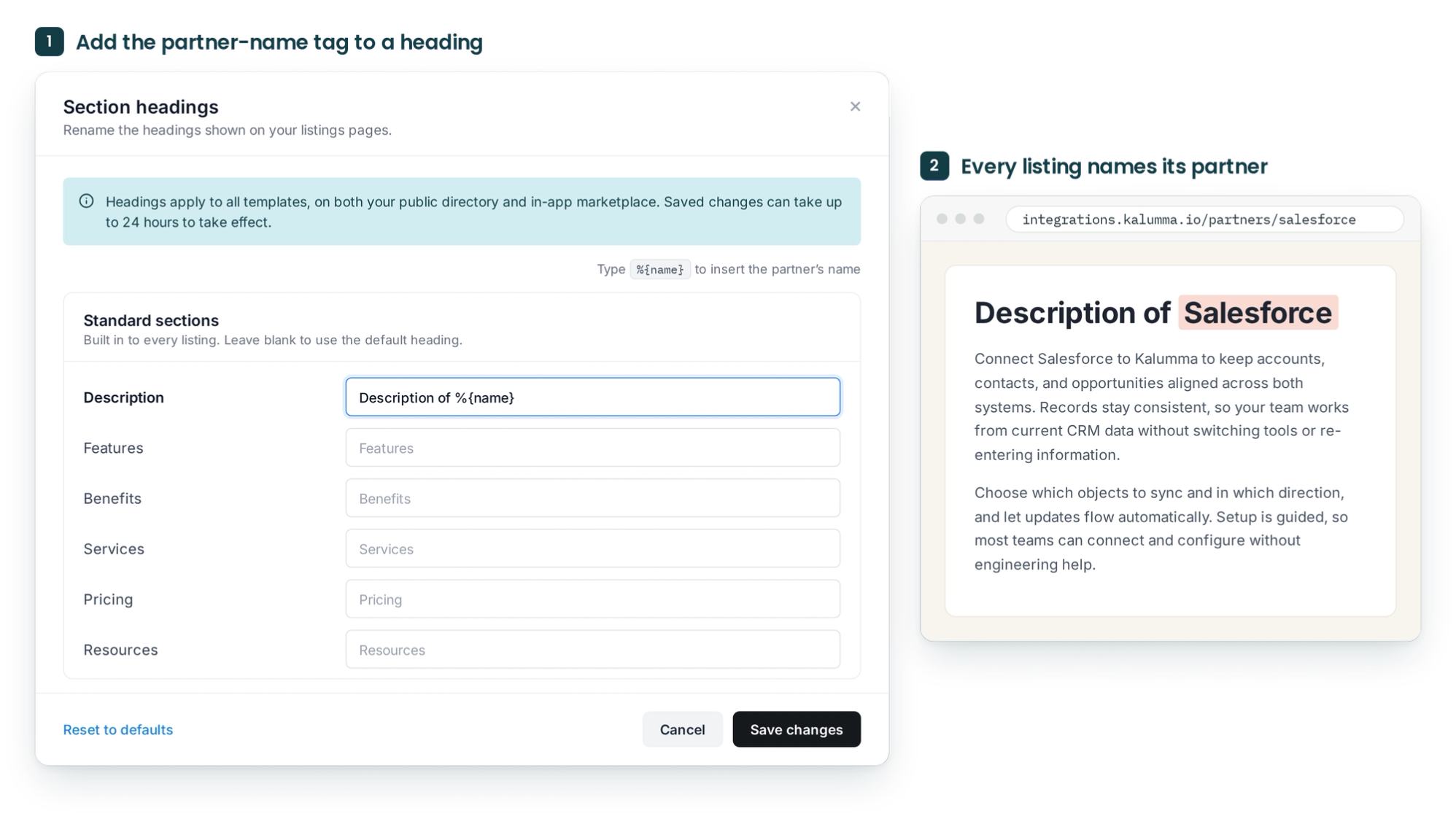
Every public marketplace now publishes an AI-readable layer: llms.txt, an index of your categories and listings, llms-full.txt, the whole marketplace in one file, and a Markdown copy of each page that keeps its headings and formatting. Listing and category pages also carry more complete structured data, and admins can add each partner’s name to section headings, so a listing reads “Description of Salesforce” instead of a generic “Description.” Since October 8, sitemaps generate for every live marketplace and refresh weekly, so search engines pick up new listings on their own.
How to use it
- Keep publishing listings as usual. Everything above updates on its own.
- To name partners in section headings, open Templates, go to Section headings, and type %{name} where you want the partner’s name to appear, for example “Description of %{name}.” Headings apply to both your public directory and in-app marketplace, and saved changes can take up to 24 hours to appear.
- To see what AI tools and search engines read, add .md to any listing URL, or open /llms.txt or /sitemap.xml.gz on your marketplace domain.
Common questions
Who is this for?
Was my marketplace already set up for search?
What is llms.txt?
Will this get my listings cited in AI answers?
Explore other product updates
Browse all product updates
What's new in Partner Fleet, October 1-15, 2026
Your Partner Directory is now built for AI answers as well as search, onboarding pipelines can end in more than one place, and your standalone application form can match your brand.

What's new in Partner Fleet, September 16-30, 2026
Partner Fleet updates from September 16-30, 2026: side-by-side listing review, filters that match any value, and static sections for listing templates.

Review partner listing edits side by side before approving
Partner Fleet's new listing review view shows every change a partner made to a listing, side by side with the live version, so you can approve or reject an edit from one screen.