
What's new in Partner Fleet, September 16-30, 2026
Public Marketplace
Sep 30, 2026
Three updates to Public Marketplace went live in the second half of September.
Review partner listing edits side by side before approving
Public Marketplace · Live since Sept 23, 2026
When a partner edits a listing, the review view now shows every changed field next to the live version, so you can approve, reject, and comment in one place.
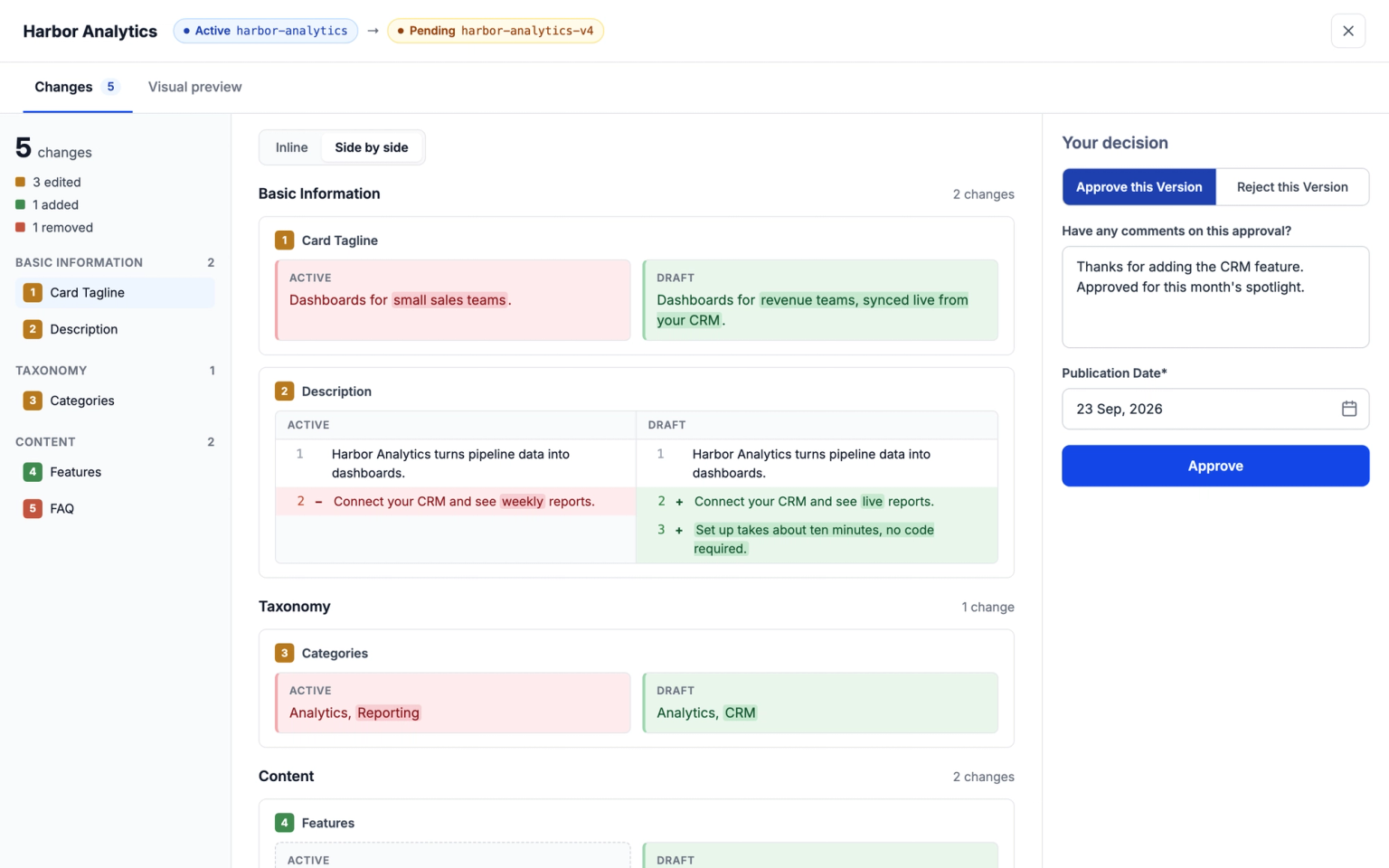
- Before: you checked the edit in the visual preview, then approved or rejected it with the buttons on the listing.
- Why it helps: you spot exactly what a partner changed without hunting for it.
- Who it affects: admins who approve partner listing edits.
- What you need to do: nothing. It opens when you review a pending edit.
Marketplace filters now show listings that match any value a buyer picks
Public Marketplace · Live since Sept 23, 2026
When a buyer picks two values in the same filter, like Salesforce and HubSpot under CRM, your marketplace now shows listings that match either one, and each click lands them on the updated results.
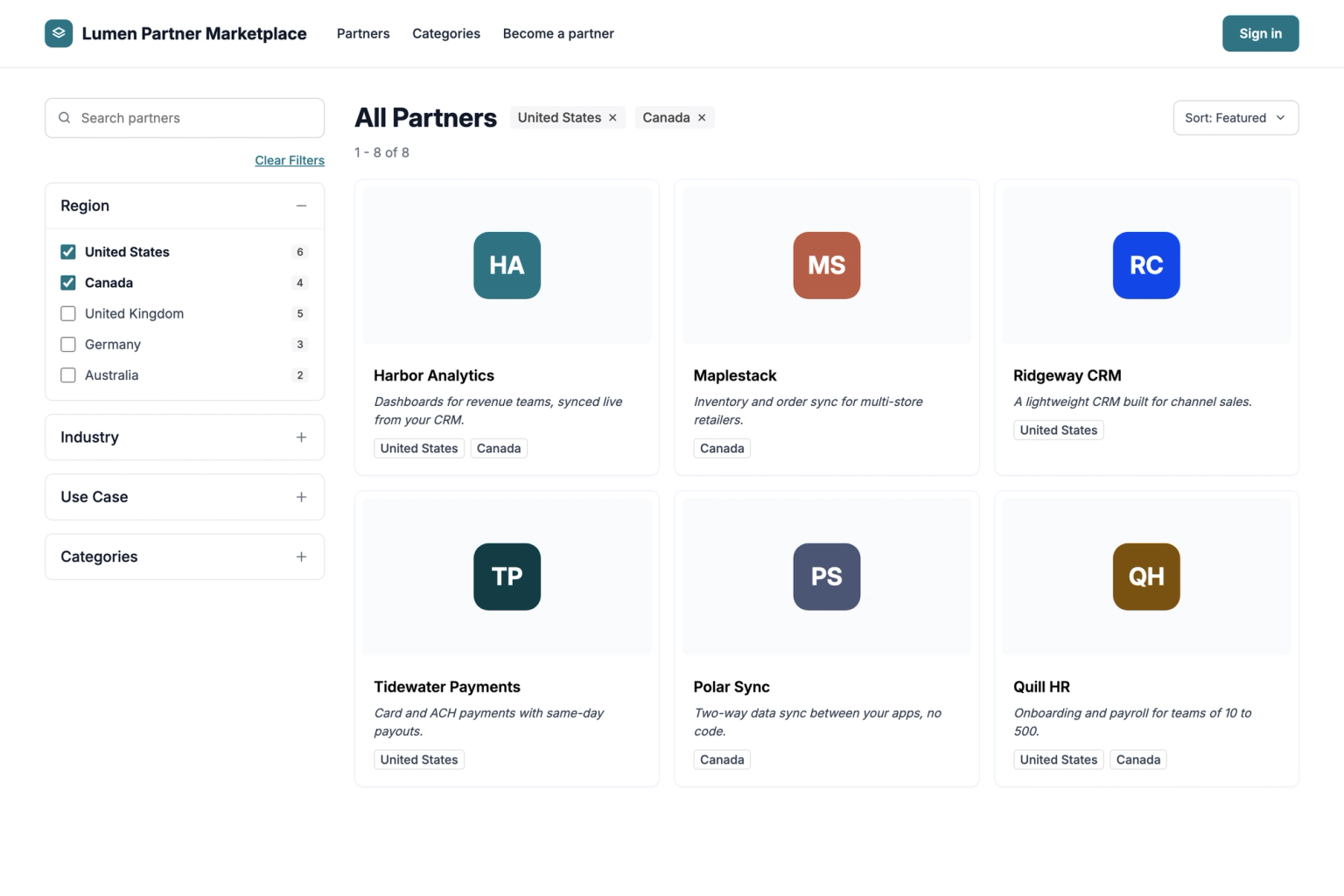
- Before: picking two values in one filter showed only listings tagged with both, and each filter click reloaded the page to the top.
- Why it helps: buyers see every listing that fits any of their choices, so they can compare more options without starting their search over.
- Who it affects: buyers browsing your marketplace. Your filter headings, values, and listing tags stay exactly as you set them up.
- What you need to do: nothing. It works with the filters you already have. Picking values under two different headings, like a CRM and a region, still narrows the results the way it did before.
Add Static Sections to your listing templates
Public Marketplace · Live since Sept 23, 2026
Static Sections are a new block admins can add to a listing template, so every listing built on that template shows the same section.
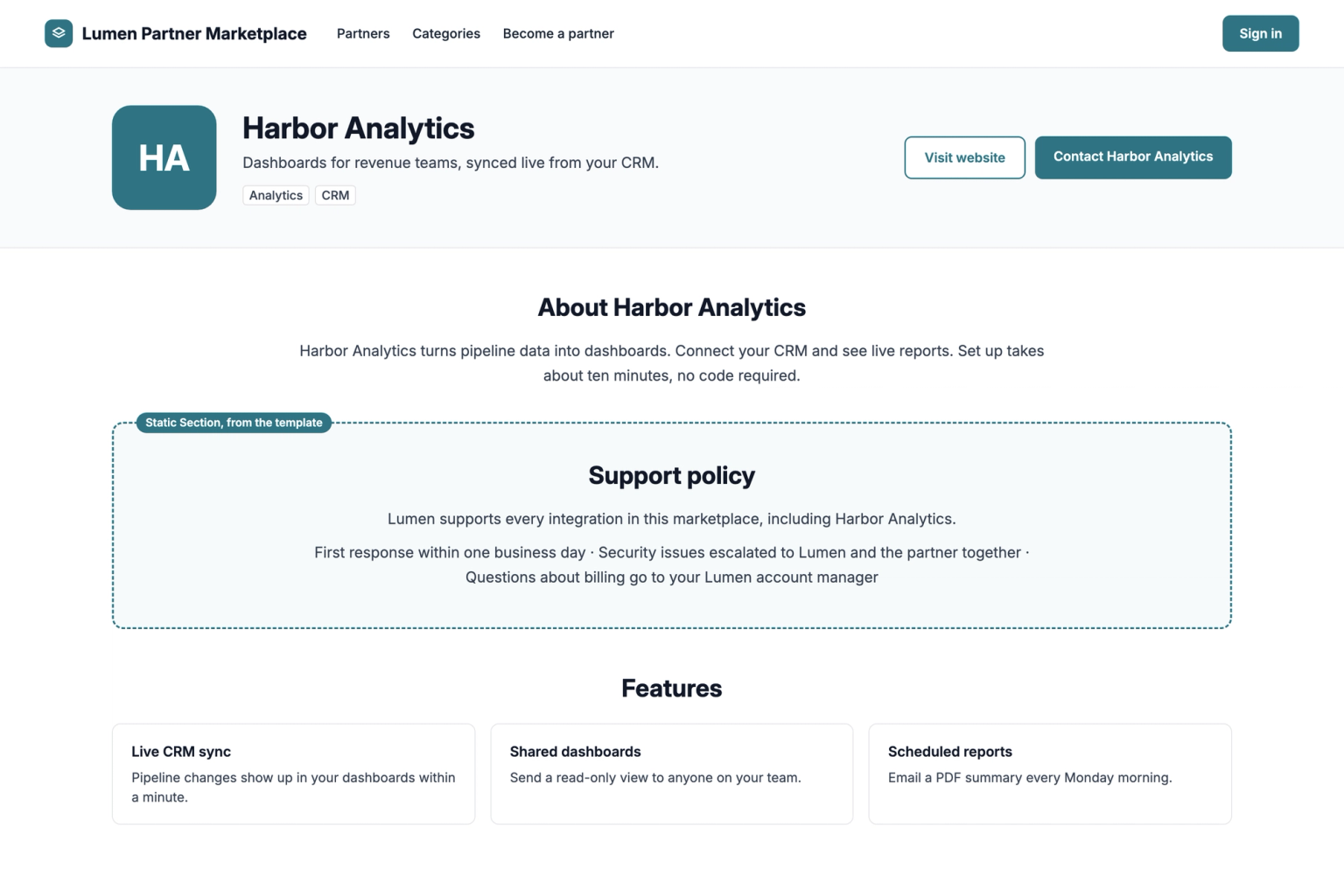
- Why it helps: add shared information, like a support policy or partner program details, to every listing on a template in one step instead of editing each listing.
- Who it affects: admins who manage listing templates. Partners see the section on their listings but can't change it.
- What you need to do: nothing unless you want to use it. To add one, open the template under Listing templates, add a Static Section block, and fill in its content. Listings already on that template pick it up automatically.
